


All Products
-
 BurookHi Norman... I just remembered i didn't let u know.... everything worked out we made both the wired and the remot control opening work... they loved the item (assuming it will hold its own for the next 10 years or so)
 -
 KiranYes I don’t doubt you. Jutai is one of the most confident companies I came across in China
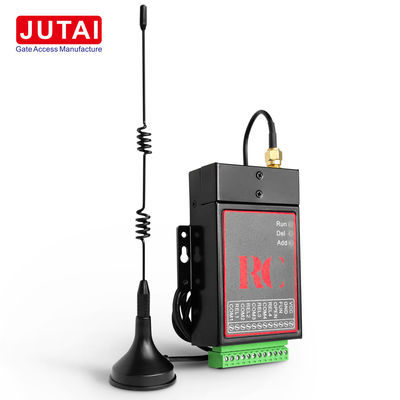
433MHz Customized Mini Hidden Door Openers With T Smart WiFi Control And Voice Control Option


Product Details
| Code | Anti-Cracking Rolling Coding | Frequency | 433MHz |
|---|---|---|---|
| Working Distance | >35 Meter | Add And Delete ID Mode | Through Short-Circuit Or Special Remote Controller |
| Encryption | Via Special USB Cable (Optional) | Working Voltage | 12-24VDC |
| Highlight | 433MHz hidden door opener,T Smart WiFi Control hidden door opener,Voice Control hidden door opener |
||
Product Description
433MHz Customized Mini Hidden Door Openers With T Smart WiFi Control And Voice Control Option
Customized Mini Hidden Door Openers with T Smart WiFi Control and Voice Control Option provide advanced access control solutions for modern security needs.

JUTAI Gatelink Solution
JUTAI Gatelink Solution includes the gate receiver, which can connect to your barrier gate controller, auto gate motor controller, and other access control systems.
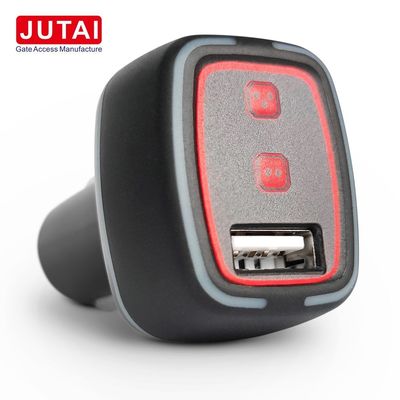
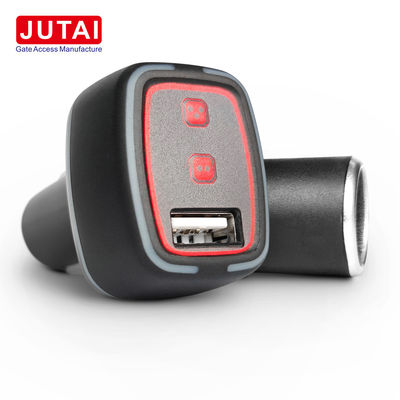
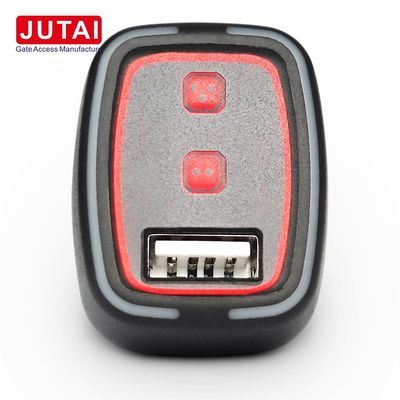
- Works with UR-4O USB auto-opening gate (plug in the car)
- Works with UR-43K auto-opening gate / remote button (plug in the car)
- Works with UR-U2K auto-opening gate / remote button / mobile charger (plug in the car)
- Works with RM-4K 4 buttons remote control (remote by your hand)
- Works with RM-2K 2 buttons remote control (remote by your hand)
REC-3 USB cable for programming the encrypted software allows you to set the same PIN password between the receiver and transponder. This flexible solution enables direct control of your market projects.
Technical Parameters
| Parameter | Specification |
|---|---|
| Frequency | 433MHz |
| System | ASK system |
| Code | Anti-cracking rolling coding |
| Working Distance | >35 meters in the air |
| Add and Delete ID Mode | Through short-circuit or special remote controller |
| Encryption | Via USB cable (line should be customized) |
| Working Voltage | 12-24VDC, 12VAC |
| Storage Capacity | 32 ID numbers (larger capacity should be customized) |
Receiver Programming Instructions
Step 1: Follow the instruction to connect the 433MHz antenna, VCC, GND, FUN, and other wires respectively.
Step 2: Power on 12-24VDC, add or delete ID.
Method 1: Short-Circuit Programming
Short-circuit the FUN line and the VCC power line to save the ID setting. The USB or remote control must work within the receiver's reading range and the PIN number must be consistent.
Note: After saving, be sure to disconnect the FUN line and the VCC line. If adding is successful, the green light flashes 5 times. To delete all IDs, short-circuit the FUN line and the GND line.
Method 2: Plus and Minus Remote Control
Use plus and minus remote control specifically for adding and subtracting ID numbers. After pressing the left button, the receiver will enter add mode for 6 seconds when receiving ID information. Keep the USB or remote control in the receiver range with consistent PIN code.
If no USB or remote control information is received within 10 seconds, it will exit add mode. Press the right button of the remote control to enter delete mode, where all information is deleted.
Remote Controls
Recommended Products