
Photoelectric Safety Device for Automated Doors with Blanking Mode Function
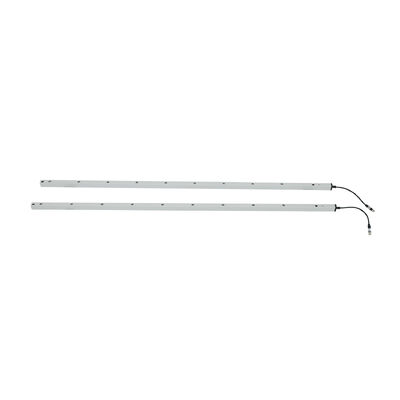
Place of Origin China
Brand Name JUTAI
Certification CE
Model Number CL20-8L
Document CL05-8L User Manual.pdf
Minimum Order Quantity 1
Price Negotiation
Packaging Details Cartoon
Delivery Time 5 - 8 working days
Payment Terms T/T,L/C,D/A,D/P,Western Union,Paypal,,MoneyGram,Alipay
Supply Ability 1000 pieces per month

Contact me for free samples and coupons.

Whatsapp:0086 18588475571

Wechat: 0086 18588475571

Skype: sales10@aixton.com

If you have any concern, we provide 24-hour online help.

x
Product Details
IP Rating IP67 Function Blanking
Sensing Distance 8m Material Aluminum Alloy
Feature Corrosion Resistant Power Voltage DC12-24V
Operating Temperature -20~60℃ Operating Current <50mA
Output No/Nc, COM Working Current <20mA@DC12V-24V
Specification 2000*21*15 Mm
Highlight

Photoelectric safety device for automated doors

,

IP67 blanking light curtain

,

Safety device with blanking mode

Leave a Message
Product Description


Product Description


Photoelectric Safety Device for Automated Doors with Blanking Mode Function 0
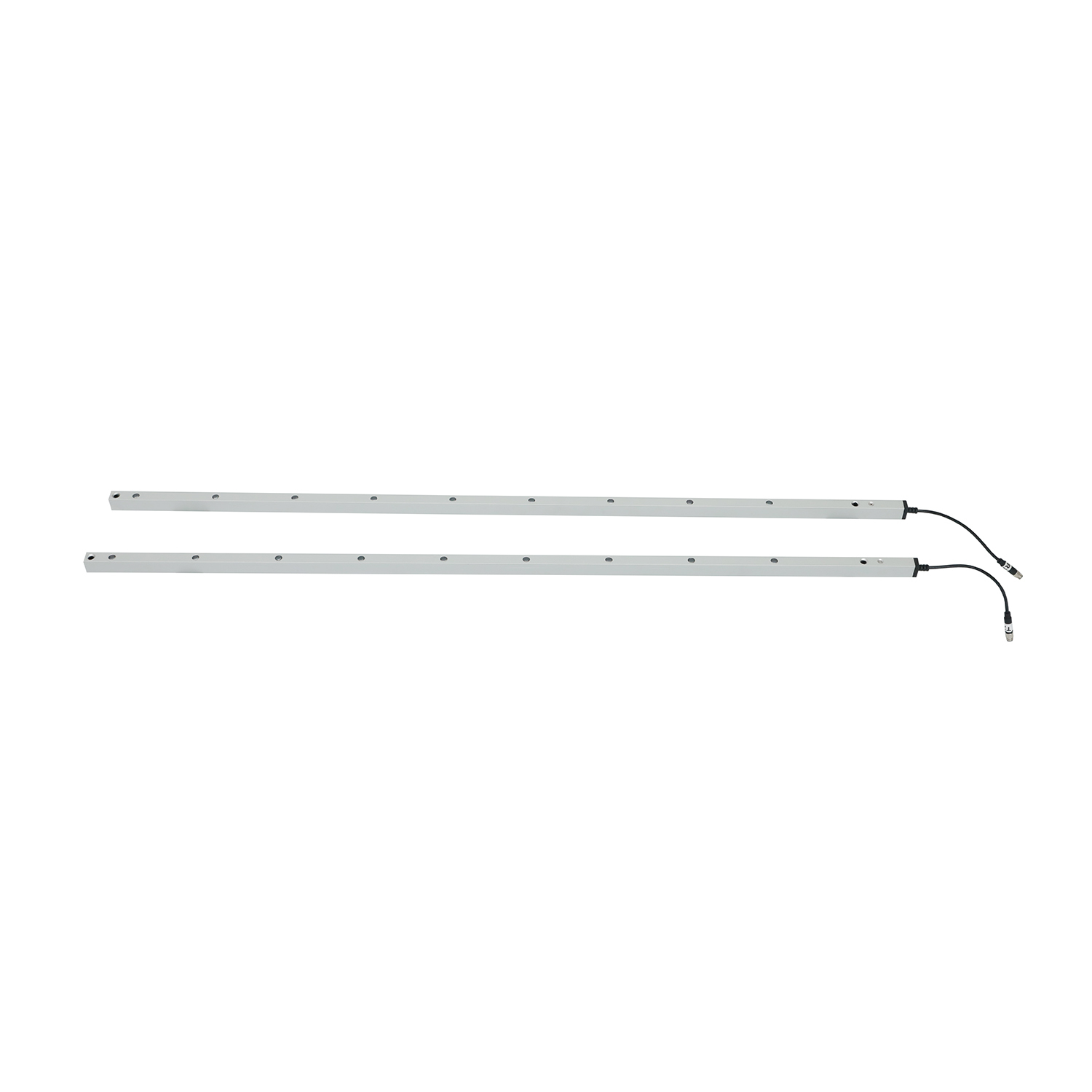

Photoelectric Safety Device for Automated Doors with Blanking Mode Function
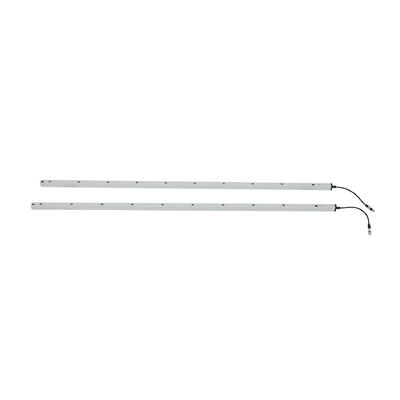
The JUTAI CL20-8L Photoelectric Safety Device is a professional protective sensing solution engineered exclusively for automated doors. It forms an invisible 8-beam light grid between the emitter and receiver, instantly triggering safety responses (door reversal, stopping, or alarm) when personnel, objects, or equipment intrude the detection area. With a dedicated Blanking Mode to avoid false alarms, IP67 rugged protection, and user-friendly design, it effectively prevents pinching, crushing, or collision accidents in industrial, commercial, and logistics environments—becoming an indispensable safety component for automated door systems.

Core Specifications (Detailed Parameter Table)

Parameter Specification
Model CL20-8L
Product Type Photoelectric safety device (safety light curtain)
Working Voltage DC12-24V
Working Current Transmitter: <65mA @DC12V; Receiver: <20mA @DC12V
Output Configuration NO/NC relay output (default NO, configurable to NC); COM terminal included
Protection Rating IP67 (dustproof + waterproof)
Housing Material Aluminum alloy
Operating Range (Emitter to Receiver) 1-8m
Maximum Protection Height 1729mm
Number of Photocells 8 beams
Beam Spacing Optimized for anti-pinch detection (covers full door opening without blind spots)
Cable Length Transmitter: 8m; Receiver: 4m
Connector Type Transmitter: 5-pole M8 male connector; Receiver: 5-pole M8 male connector
Operating Temperature -20°C ~ +60°C
Key Function Automated door anti-pinch protection + Blanking Mode (anti-false alarm)
LED Status Indicators Transmitter: Steady blue (normal operation); Fast-flashing red (voltage <9V or >28V)

Receiver: Steady red (object/personnel blocked); Steady blue (no obstruction); Flashing blue (first power-on, emitter-receiver misalignment)
Installation Hole Dimensions Refer to size parameters: 14mm, 80mm, 175mm, 259mm, 29mm, 75mm, 19.7mm, 21.4mm (unit: mm)

Key Functions & Advantages (Clear, Detailed Points)

1. Blanking Mode: Anti-False Alarm for Automated Doors

  • Mode Definition: Specifically designed for automated door gaps—blocking the first channel of the light grid will not trigger safety responses, adapting to the structural characteristics of automated doors (e.g., roller shutters, fast doors) where sequential beam blocking occurs during normal closure.
  • Activation Logic: Avoids unnecessary door reversal or stopping caused by door panels themselves during operation, balancing safety and operational efficiency.
  • Setup Convenience: Simple wire-touch operation (no professional tools required), ensuring quick adaptation to different automated door types.

2. Targeted Anti-Pinch Protection

  • Precise Detection: 8-beam light grid covers the full height of automated doors (1729mm), detecting hands, limbs, small tools, or goods near the door to prevent pinching/crushing accidents.
  • Instant Response: Triggers safety signals immediately upon beam interruption, matching the fast operation of automated doors to eliminate safety lags.
  • Wide Adaptability: Suitable for various automated door types (fast doors, roller shutter doors, automatic swing doors, industrial sectional doors) in different scenarios.

3. Rugged & Reliable Performance

  • IP67 Protection: Fully dustproof and waterproof, withstanding temporary water immersion, heavy dust, and industrial contaminants—ideal for outdoor-installed automated doors or dusty workshop environments.
  • Temperature Resilience: Operates stably from -20°C to +60°C, adapting to cold storage automated doors, high-temperature workshop doors, and outdoor doors exposed to seasonal fluctuations.
  • Durable Structure: Aluminum alloy housing resists mechanical wear, vibration, and corrosion, ensuring long-term reliability even with frequent automated door operations.

4. Easy Installation & Intuitive Operation

  • Color-Coded Wiring: Clear wire function division simplifies connection to automated door control systems (details in Wiring Guide below), reducing installation errors.
  • Adjustable Mounting: Reserved installation holes with standardized dimensions enable flexible mounting on different door frames (vertical installation recommended).
  • Visual Diagnostics: LED indicators on both emitter and receiver provide real-time status feedback, allowing on-site personnel to quickly identify normal operation, misalignment, voltage issues, or blockages.

Wiring Guide (Standardized Table with Notes)

Component Wire Color Function Detailed Notes
Transmitter Red DC12-24V Positive Power Supply Must connect to a stable DC power supply (12-24V); avoid overvoltage/undervoltage
Transmitter Black Ground (GND) Connect to power supply negative terminal; ensure reliable grounding to prevent signal interference
Transmitter Green Reserve No need for connection in basic anti-pinch and Blanking Mode use
Transmitter Yellow Reserve No need for connection in basic use
Transmitter White Reserve No need for connection in basic use
Receiver Red DC12-24V Positive Power Supply Same power source as transmitter (consistent positive/ground connection)
Receiver Black Ground (GND) Shared ground with transmitter for stable signal transmission
Receiver Green NO/NC Output (Default NO) Connect to automated door control system’s safety signal input terminal
Receiver Yellow Configurable NC Switches to NC output after Blanking Mode activation (matches door control system requirements)
Receiver White COM (Common Terminal) Matching terminal for NO/NC output; must be connected to door control system’s corresponding terminal

Critical Warnings

  • Do NOT connect NO/NC terminals (Green/Yellow wires of receiver) to the power supply positive terminal—this will permanently damage the optical relay.
  • Ensure wiring is tight and free of short circuits; keep cables away from high-voltage/high-current conductors to avoid interference.

Blanking Mode Activation Steps (Step-by-Step)

  1. Complete wiring according to the Wiring Guide and confirm no connection errors.
  2. Power on the photoelectric safety device (ensure power supply meets DC12-24V requirements).
  3. Within 1 minute of power-on, touch the receiver’s Green wire (NO output) to its Black wire (GND) five consecutive times.
  4. Observe the receiver’s Red light blinking rapidly—this indicates successful activation: Yellow wire switches to NC mode, and Blanking Mode is enabled.
  5. After activation, test the function: Normal door closure (blocking the first channel) will not trigger safety responses; intrusion of personnel/objects (blocking other channels) will trigger immediate door reversal/stopping.

Application Scenarios (Targeted, Detailed List)

  • Industrial Automated Doors: Fast doors, roller shutter doors, sectional industrial doors (factories, warehouses, logistics centers).
  • Commercial Automated Doors: Automatic swing doors, sliding doors (shopping malls, office buildings, retail stores).
  • Special Environment Automated Doors: Cold storage automated doors, clean room fast doors, outdoor automated doors (resistant to temperature extremes, dust, and moisture).
  • Logistics/Loading Dock Doors: Automated loading dock doors, material transfer area doors (protects personnel and goods during high-frequency operations).

Troubleshooting (Comprehensive Problem-Solution Table)

Fault Symptoms Possible Causes Detailed Solutions
Receiver’s blue light flashes continuously after power-on Emitter and receiver are misaligned (light beams not paired) 1. Check if both devices are installed parallel to each other. 2. Adjust the mounting position of the emitter/receiver until the receiver’s blue light stabilizes (normal operation). 3. Ensure no obstacles block the light path between emitter and receiver.
Transmitter’s red light flashes fast Power supply voltage is too low (<9V) or too high (>28V) 1. Use a multimeter to test the power supply voltage. 2. Replace the power supply with a stable DC12-24V adapter. 3. Check for voltage drops caused by long cables (consider thickening cables or adding a voltage stabilizer if needed).
Light device works normally (LED indicators correct), but automated door has no anti-pinch action 1. Wiring error (NO/NC connected incorrectly or COM terminal not connected) 2. Door control system fails to recognize safety signals 1. Recheck wiring against the Wiring Guide—ensure Green (NO)/Yellow (NC) and COM terminals are connected to the door control system’s safety signal interface. 2. Verify that the door control system is set to “external safety sensor input” mode. 3. Test the output signal with a multimeter to confirm the device is sending safety signals.
Unable to enter Blanking Mode 1. Operation exceeds 1-minute window after power-on 2. Light leakage during door descent (discontinuous beam blocking) 3. Bottommost beam is blocked by debris 4. Door/obstruction fails to meet the minimum continuous blocking distance 1. Power off and restart the device, then complete the activation operation within 1 minute. 2. Fix door sealing to prevent external light from interfering with the light grid. 3. Clear dust, debris, or obstacles blocking the bottommost beam. 4. Adjust the door’s closing speed or obstruction position to meet the continuous blocking distance requirement.

Installation Guidelines (Detailed, Operable Steps)

  1. Pre-Installation Preparation:
    • Confirm the automated door’s opening height and width—ensure the device’s protection height (1729mm) and operating range (1-8m) match.
    • Check the power supply: Prepare a stable DC12-24V power source (compatible with the device’s working voltage).
    • Inspect the device: Verify that the emitter, receiver, cables, and connectors are intact (no damage or loose connections).
  2. Mounting Operation:
    • Select mounting positions: Install the emitter and receiver vertically on both sides of the automated door frame, ensuring the light grid is parallel to the door’s movement direction and covers the full door opening (no blind spots).
    • Use installation holes: Align the device’s mounting holes with the door frame, fix with matching screws (ensure firm installation to avoid vibration-induced misalignment).
    • Cable arrangement: Route the 8m (transmitter) and 4m (receiver) cables along the door frame, avoiding sharp edges or high-pressure areas (prevent cable damage).
  3. Wiring & Debugging:
    • Follow the Wiring Guide to connect power, ground, and signal cables—double-check to avoid reversing positive/negative or connecting NO/NC to power positive.
    • Power on the device: Observe LED indicators—transmitter’s steady blue light and receiver’s steady blue light indicate normal power-on.
    • Align the light grid: If the receiver’s blue light flashes, adjust the emitter/receiver positions until the light is steady (beam alignment successful).
    • Activate Blanking Mode: Complete the wire-touch activation steps as instructed to adapt to the automated door’s operation.

Usage & Maintenance Caveats (Detailed Reminders)

  • Cable Protection: Keep connecting cables away from high-voltage/high-current conductors, door machinery, or forklift paths to avoid interference, extrusion, or damage.
  • Lens Maintenance: Regularly wipe the emitter/receiver lenses with a dry, soft cloth to remove dust, oil stains, or condensation—dirty lenses will affect detection accuracy.
  • Physical Protection: Do not bend, twist, or drop the device; avoid scratching the aluminum alloy housing or infrared lenses.
  • Light Source Avoidance: Prevent direct sunlight or other infrared light sources from shining on the receiver (avoids false triggers or detection failure).
  • Blanking Mode Usage: Ensure the door or obstruction used for Blanking Mode meets the minimum continuous blocking distance requirement (follow the user manual’s specifications).
  • Temperature Adaptation: In extreme environments (e.g., cold storage below -20°C or high-temperature workshops above +60°C), confirm the device’s operating temperature range before use.
  • Regular Inspection: Periodically test the anti-pinch and Blanking Mode functions to ensure the device works normally; check wiring tightness and connector integrity.
For technical support, customization, or bulk inquiries, visit our official website: https://www.accesssecuritysolution.com/

Photoelectric Safety Device for Automated Doors with Blanking Mode Function 1


Photoelectric Safety Device for Automated Doors with Blanking Mode Function 2


Photoelectric Safety Device for Automated Doors with Blanking Mode Function 3

Photoelectric Safety Device for Automated Doors with Blanking Mode Function 4

Customer Success Stories

1. Cold Storage Giant: Reliable Operation at -25°C
"JUTAI’s sensor eliminated downtime in our cold storage facility. The IP67 rating ensured reliable operation even at -25°C."
— Michael Chen, Warehouse Manager, Leading Cold Chain Logistics Provider
 
2. Automotive Manufacturing Leader: Seamless Integration
"The dual - mode feature allowed seamless integration into our existing infrastructure. Installation was effortless!"
— Lisa Wang, Safety Engineer, Global Automotive Manufacturer
 
3. Pharmaceutical Plant: Compliance & Efficiency
"JUTAI’s CE - certified sensor met our safety standards while reducing maintenance costs by 30%."
— David Li, Plant Director, International Pharmaceutical Corporation
 
4. E - commerce Warehouse: Accident - Free Operations
"After installing JUTAI’s 16 - beam sensor, we saw a 100% reduction in conveyor - related incidents."
— Sarah Zhang, Safety Officer, Top E - commerce Fulfillment Center
 
5. Heavy Machinery Manufacturer: Enhanced Operator Safety
"The sensor’s rapid response time (<=20ms) protected workers from robotic arm collisions during high - speed operations."
— John Wu, Engineering Manager, Industrial Equipment Producer
 
6. Food Processing Plant: Hygienic & Durable
"The IP67 aluminum housing resists water in our food processing lines while maintaining accuracy."
— Emily Chen, Quality Assurance Manager, Global Food & Beverage Company
 
7. Automated Warehouse: AGV Navigation Safety
"JUTAI’s sensor improved AGV collision avoidance, reducing downtime by 25%."
— Kevin Liu, Logistics Director, Automated Storage Solutions Provider
 
8. Fire & Safety Provider: Fire Door Compliance
"The sensor ensures fire doors close safely without compromising personnel safety during drills."
— Jason Zhou, Technical Lead, Fire Protection Systems Company


Photoelectric Safety Device for Automated Doors with Blanking Mode Function 5

Photoelectric Safety Device for Automated Doors with Blanking Mode Function 6

Photoelectric Safety Device for Automated Doors with Blanking Mode Function 7

Photoelectric Safety Device for Automated Doors with Blanking Mode Function 8

Photoelectric Safety Device for Automated Doors with Blanking Mode Function 9

Photoelectric Safety Device for Automated Doors with Blanking Mode Function 10

Photoelectric Safety Device for Automated Doors with Blanking Mode Function 11

Photoelectric Safety Device for Automated Doors with Blanking Mode Function 12

Photoelectric Safety Device for Automated Doors with Blanking Mode Function 13

Photoelectric Safety Device for Automated Doors with Blanking Mode Function 14
Photoelectric Safety Device for Automated Doors with Blanking Mode Function 15
Photoelectric Safety Device for Automated Doors with Blanking Mode Function 16

Photoelectric Safety Device for Automated Doors with Blanking Mode Function 17

Photoelectric Safety Device for Automated Doors with Blanking Mode Function 18
Photoelectric Safety Device for Automated Doors with Blanking Mode Function 19

Photoelectric Safety Device for Automated Doors with Blanking Mode Function 20

Photoelectric Safety Device for Automated Doors with Blanking Mode Function 21